
Sometimes, older versions of PHP are needed in local environments when dealing with legacy sites.
I'll show you how to install multiple versions of PHP in Ubuntu. This is specifically for a Magento local development environment but is relevant for any PHP application.
Install additional versions of PHP
- Add the ondrej/php repository:
sudo add-apt-repository ppa:ondrej/php
- Install php7.x. Replace the "x" with the exact version you need. I will show php7.3 for demonstration purposes, but you can change it to the desired version:
sudo apt-get update sudo apt-get install php7.3
- Install Magento-required PHP modules:
sudo apt install php7.3-cli php7.3-fpm php7.3-json php7.3-pdo php7.3-mysql php7.3-zip php7.3-gd php7.3-mbstring php7.3-curl php7.3-xml php7.3-bcmath php7.3-json php7.3-soap php7.3-intl php-libsodium
- To change between PHP versions from the CLI (Note: you will need to configure apache or nginx to use the correct PHP version. This is for CLI only.)
sudo update-alternatives --config php
To make the PHP switch a little more convenient
- Create a file named:
/usr/bin/changephp
- Make the file executable:
sudo chmod 755 /usr/sbin/changephp
- Save the contents below into the changephp file:
#!/bin/bash sudo update-alternatives --config php
- You can change the CLI php version by typing changephp from anywhere. It will bring up a dialog similar to this:
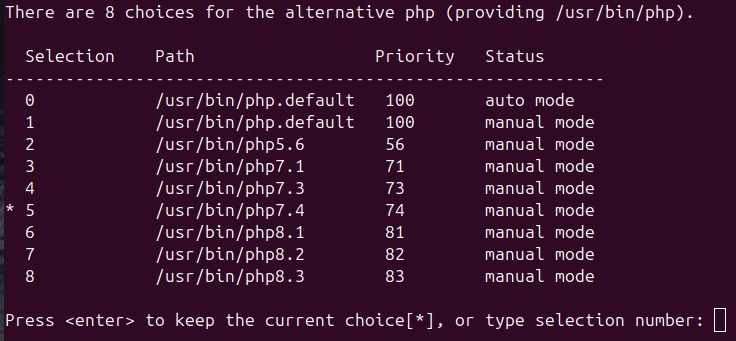
That's it! Now you will be able to change PHP on-the-fly to help support older PHP applications. The goal must be to get the sites on the latest versions of Magento and PHP as soon as possible though!