What you're actually building
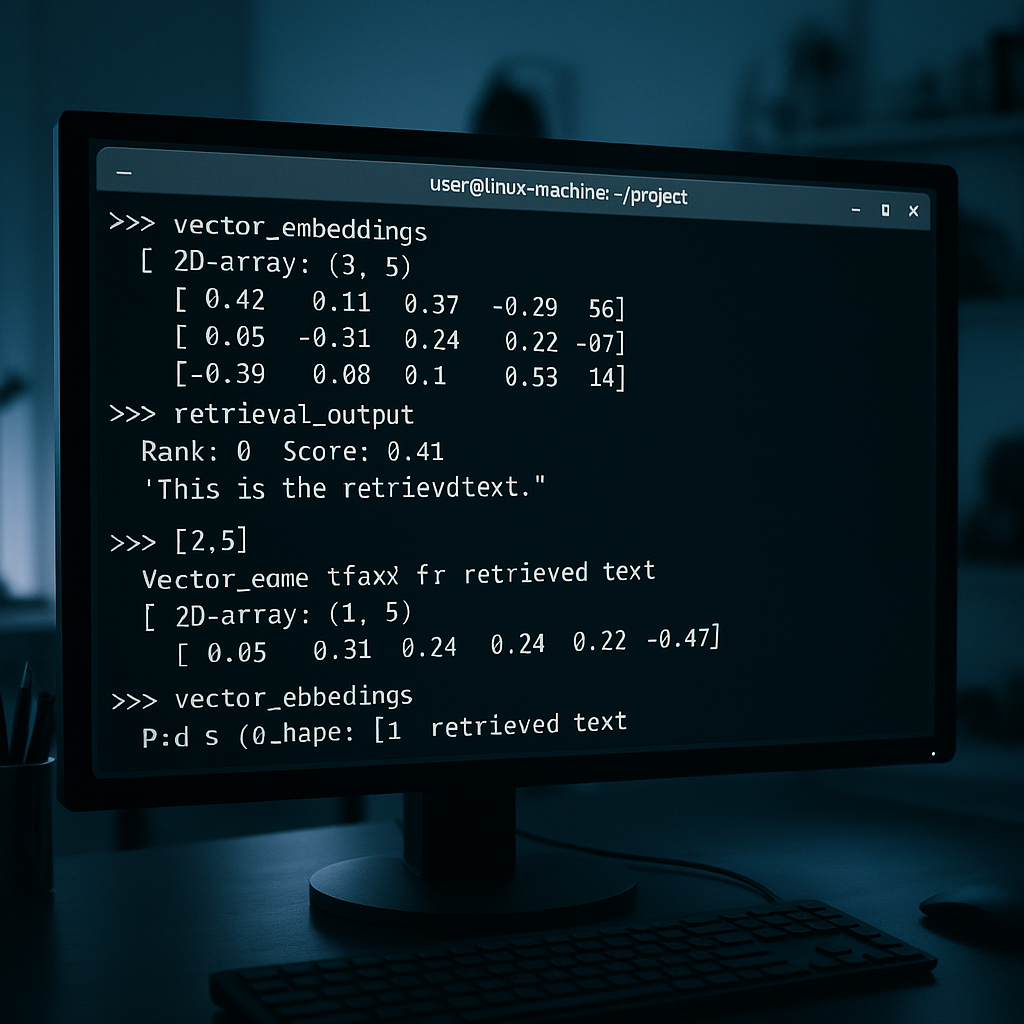
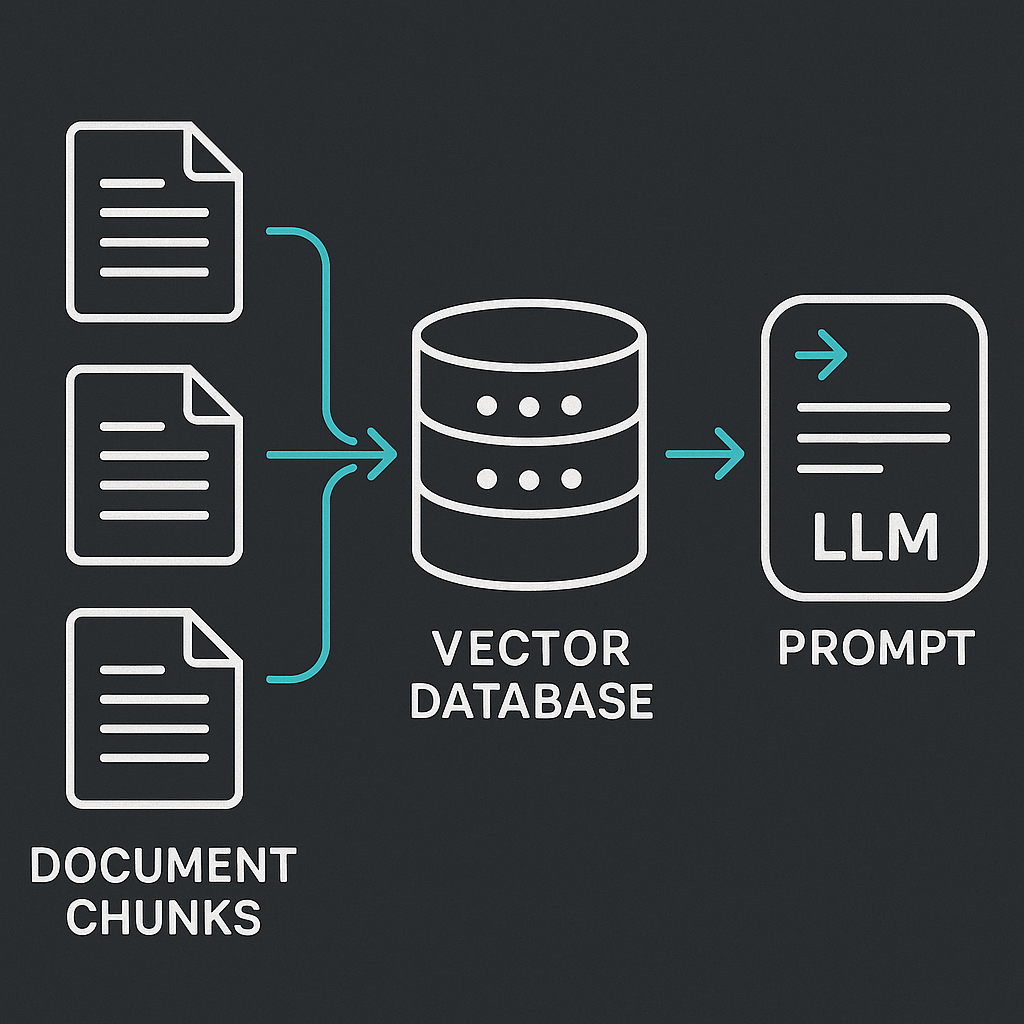
An LLM knowledge base is external memory. The model itself stays frozen; you attach a retrieval layer that finds relevant documents at query time and stuffs them into the context window before the model generates a response. That pattern is called retrieval-augmented generation, or RAG.
LLMs are static by design. Once trained, the model has no knowledge of your latest product release, the policy that changed last quarter, or the post-mortem your team published yesterday. Fine-tuning can shift tone and style, but it is expensive, slow to update, and gives you no audit trail for where an answer came from. RAG solves a different problem: changing what the model knows, not how it speaks. Updating knowledge is a matter of re-indexing documents, which takes minutes.
The stack covered here: Ollama to run models locally, LangChain to wire the pipeline together, and ChromaDB as the vector store. Everything runs on your own hardware. No API costs, no data leaving your network.
How the pipeline works
There are two pipelines that share a vector store as their meeting point.
Indexing runs once at setup, then incrementally whenever documents change. It takes raw documents, breaks them into chunks, converts each chunk into a vector embedding, and writes those vectors to storage.
Retrieval and generation runs on every query. It embeds the user's question, compares that vector against the stored chunks using cosine similarity, pulls the top-k matches, and assembles them into a prompt. The LLM then generates an answer grounded in that retrieved context.
Chunking
Most LLMs have a limited context window, so large documents need to be split before embedding. Three common strategies:
- Fixed-length: split on a predetermined token count (1,024 is the most common default)
- Semantic: split along natural boundaries like paragraphs or sentences
- Sliding window: overlapping chunks so context at boundaries is preserved
LangChain's RecursiveCharacterTextSplitter is the standard choice. It tries paragraph breaks first, then sentences, then words. For general technical documentation, 800 to 1,200 characters with 200-character overlap works well. Legal documents do better with 1,500 to 2,000 characters. FAQ content, where each item is self-contained, works well at 500 to 800 characters.
Embeddings
Each chunk gets converted into a dense vector by an embedding model. all-MiniLM-L6-v2 is a solid general-purpose option and is what the examples below use. bge-large-en-1.5 is a heavier model that tends to score better on retrieval benchmarks if you have the VRAM to spare.
Vector storage
ChromaDB is open-source, requires zero infrastructure, and integrates directly with LangChain. Install it with pip install chromadb. It supports persistent local storage (data survives process restarts), metadata filtering, and fast similarity search. It works well for deployments under around 10 million vectors. For larger scale, Pinecone, Weaviate, and Qdrant are worth evaluating.
Ubuntu 24.04 setup
Ubuntu 24.04 ships with Python 3.12, which satisfies both LangChain (requires 3.9+) and ChromaDB (requires 3.8+).
System prerequisites
sudo apt update
sudo apt install curl ca-certificates zstd
For NVIDIA GPU acceleration, install the recommended driver first:
sudo apt install -y ubuntu-drivers-common
sudo ubuntu-drivers install
sudo reboot
Ollama requires NVIDIA GPUs with CUDA Compute Capability 5.0 or higher. One practical advantage: Ollama bundles its own CUDA runtime, so you only need a compatible driver on the host. No separate CUDA Toolkit installation. Minimum specs to run anything useful are 16 GB RAM and an NVIDIA GPU with 8 GB+ VRAM. CPU-only setups work but are noticeably slower.
Install Ollama
Ubuntu 24.04 does not have an ollama package in its default APT repositories. Use the official Linux installer:
curl -fsSL https://ollama.com/install.sh -o /tmp/ollama-install.sh
sh /tmp/ollama-install.sh
The installer places Ollama under /usr/local, creates the ollama service account, writes /etc/systemd/system/ollama.service, and starts the service. The API binds to 127.0.0.1:11434. If you see a CPU-only warning during install on a machine without a detected GPU, that is normal. Ollama installs correctly and falls back to CPU inference.
Verify it is running:
systemctl status ollama
curl http://127.0.0.1:11434/api/tags
Pull the models you need:
ollama pull llama3.2
ollama pull nomic-embed-text
Python virtual environment and packages
python3 -m venv .venv
source .venv/bin/activate
Your prompt will show the environment name in parentheses once activated, confirming that subsequent installs stay isolated from the global Python installation.
Install the full stack:
pip install chromadb langchain_community langchain_text_splitters \
 sentence-transformers langchain-ollama pypdf ollama
Building the knowledge base
Ingest and index documents
The indexing script below loads documents, splits them, embeds them with all-MiniLM-L6-v2, and writes to a persistent ChromaDB collection. Point DOC_DIR at any folder of .txt or .pdf files.
from langchain_community.document_loaders import DirectoryLoader, TextLoader
from langchain_text_splitters import RecursiveCharacterTextSplitter
from langchain_community.embeddings import HuggingFaceEmbeddings
from langchain_community.vectorstores import Chroma

CHROMA_DIR = "./chroma_db"
COLLECTION = "my_knowledge_base"
DOC_DIR = "./docs"

loader = DirectoryLoader(DOC_DIR, glob="**/*.txt", loader_cls=TextLoader)
docs = loader.load()

splitter = RecursiveCharacterTextSplitter(chunk_size=1000, chunk_overlap=200)
chunks = splitter.split_documents(docs)

embeddings = HuggingFaceEmbeddings(model_name="all-MiniLM-L6-v2")

vectorstore = Chroma.from_documents(
 documents=chunks,
 embedding=embeddings,
 collection_name=COLLECTION,
 persist_directory=CHROMA_DIR,
)

print(f"Indexed {len(chunks)} chunks into '{COLLECTION}'")
Run this once. Re-run it whenever documents are added or changed.
Query the knowledge base
from langchain_community.embeddings import HuggingFaceEmbeddings
from langchain_community.vectorstores import Chroma
from langchain_ollama import OllamaLLM
from langchain.chains import RetrievalQA

CHROMA_DIR = "./chroma_db"
COLLECTION = "my_knowledge_base"

embeddings = HuggingFaceEmbeddings(model_name="all-MiniLM-L6-v2")

vectorstore = Chroma(
 collection_name=COLLECTION,
 embedding_function=embeddings,
 persist_directory=CHROMA_DIR,
)

llm = OllamaLLM(model="llama3.2")

qa = RetrievalQA.from_chain_type(
 llm=llm,
 retriever=vectorstore.as_retriever(search_kwargs={"k": 4}),
)

answer = qa.invoke("What does our refund policy say?")
print(answer["result"])
The persist_directory and collection_name values must match exactly between the ingestion and query scripts. A mismatch is the most common cause of "Collection not found" errors. Also confirm that chroma_db/chroma.sqlite3 exists after ingestion.
A note on knowledge base organization
One pattern worth adopting from the original Towards Data Science article: keep a top-level markdown file in your document directory that describes the knowledge base structure and what lives where. Update it whenever you add new document sets. When the LLM retrieves that index file, it gets orientation before pulling specific chunks, which tends to produce more coherent answers on broad queries. Coding agents searching large document sets benefit from this structure too.
Troubleshooting
Port 11434 already in use:
sudo lsof -i :11434
sudo systemctl restart ollama
nvidia-smi not found after driver install:
sudo ubuntu-drivers autoinstall
sudo reboot
ChromaDB returns no results or wrong results: confirm both scripts use the same CHROMA_DIR path and that the directory contains chroma.sqlite3. If you changed the chunk size or embedding model since last indexing, delete the chroma_db/ directory and re-run ingestion from scratch.